

Latest Version
Brick Bug
Health
Windows
Free
9npwdqzrg923
Report a Problem
More About Never Sleep
When you are in the middle of a massive file download, rendering a complex project, or presenting to a room full of clients, there is nothing more disruptive than your operating system abruptly going into standby. The Never Sleep PC keeping awake utility by Brick Bug tackles this specific frustration with an elegant, single-purpose solution designed for the Windows platform.
Why This Standby Prevention App Stands Out
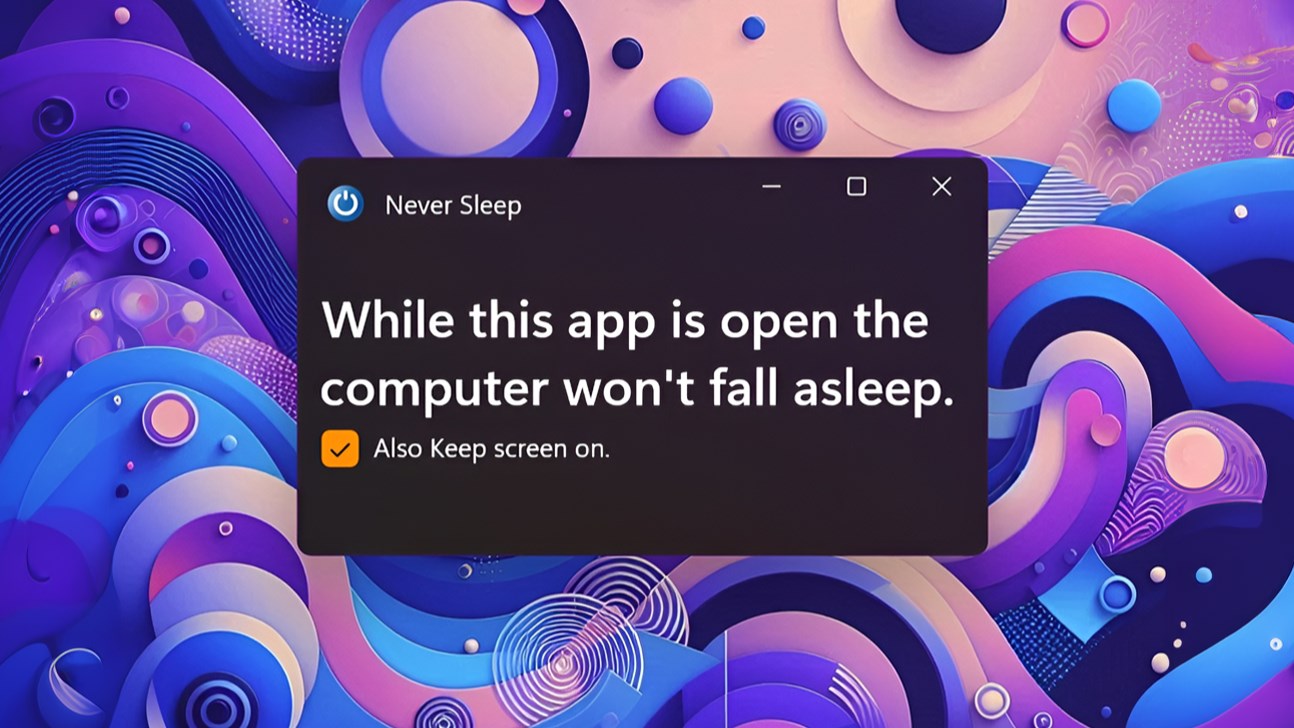
While many operating systems offer buried power management settings, adjusting them manually every time your workflow changes is tedious. The Never Sleep PC keeping awake utility provides an instant, toggleable override. By simply keeping the application open, your computer receives a continuous signal to remain active, bypassing your default power-saving timeout configurations without permanently altering your system settings.
Key Features of Never Sleep
- Active Session Maintenance: Keeps your Windows computer fully awake and operational as long as the application remains open.
- Optional Screen Override: Choose whether you want to keep the display illuminated or allow the monitor to turn off while the system background processes continue running.
- Zero Configuration Overhead: Designed for immediate deployment with a lightweight footprint that does not drain system resources.
- Workflow Protection: Ideal for long-running scripts, rendering queues, large data transfers, and continuous monitoring tasks.
Who is the Never Sleep PC keeping awake tool for?
This utility is highly recommended for developers, system administrators, and digital creators who rely on uninterrupted background processing. If you frequently step away from your desk but need your machine to complete active operations without entering hibernation, this tool provides a reliable safety net. It bridges the gap between complex power management profiles and simple, on-demand activation.
Final Verdict
Brick Bug has delivered a remarkably straightforward tool that does exactly what it promises without unnecessary bloat. If you are looking for a reliable way to manage your system's uptime during critical operations, the Never Sleep PC keeping awake utility is an excellent addition to your productivity toolkit. To experience this streamlined power management solution for yourself, head over to the official Microsoft Store to acquire the application.
Rate the App
User Reviews















Popular Apps










Editor's Choice