

Latest Version
F.lux Software LLC
Health
Windows
Free
9n9kdphv91jt
Report a Problem
More About f.lux: Screen Warmth for Better Sleep
The Evening Display Shift: A Hands-On Look at f.lux
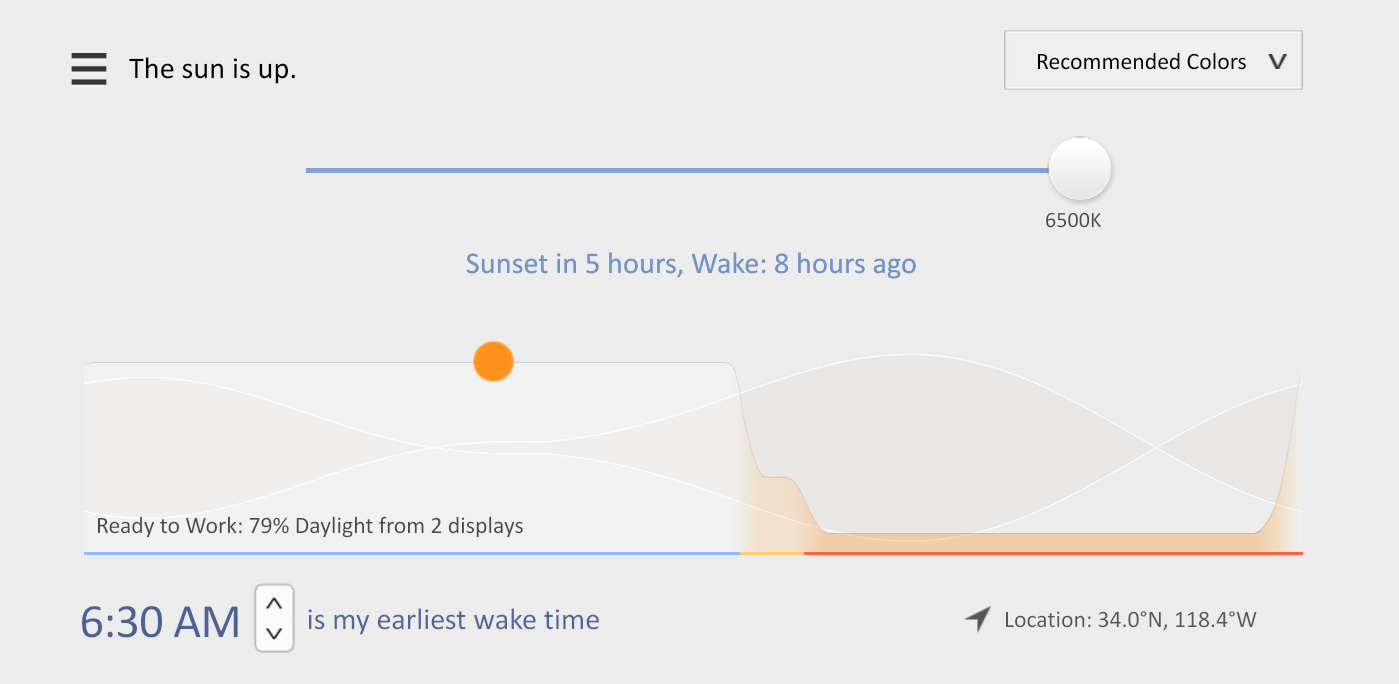
As the sun sets, our indoor environments often remain harshly illuminated by the intense blue light of our computer monitors. This is where the f.lux screen warmth tool steps in to bridge the gap between technology and human biology. Created by F.lux Software LLC, this utility automatically adjusts the color temperature of your Windows display, shifting from a crisp, daylight-balanced blue during the afternoon to a soft, amber glow as night falls.
Using the software feels remarkably seamless. Once configured, the transitions occur gradually in the background, mimicking the natural progression of sunset. By reducing the harsh blue wavelengths that typically signal your brain to stay alert, the f.lux screen warmth tool aims to make evening screen time feel much gentler on your eyes, closely resembling the experience of reading a physical book under warm lighting.
How the f.lux Screen Warmth Tool Works
The utility relies on established principles of circadian biology to determine the optimal timing and intensity of your screen's color shift. Here is how it manages your visual environment:
- Circadian Alignment: By inputting your general location and wake times, the software maps out a personalized illumination schedule that syncs with your local day-and-night cycle.
- Gradual Color Transitioning: Instead of sudden, jarring shifts, the display warms up slowly over an hour, making the change almost imperceptible to your eyes while you work.
- Customizable Profiles: Users can easily adjust the intensity of the warm tones to suit specific tasks, whether you need color accuracy for editing or deep amber tones for late-night reading.
Who Is This Windows Utility For?
This software is a valuable addition to the toolkit of any Windows user who finds themselves working late into the evening. Writers, developers, night owls, and anyone seeking to support their natural sleep hygiene will benefit from the reduced eye strain. By replacing harsh artificial glare with a soothing spectrum, the f.lux screen warmth tool helps your mind and body naturally wind down before bed.
Our Editorial Verdict
For a utility in the digital health category, this application remains a highly effective, set-and-forget solution. It addresses a very real modern problem with scientific simplicity. If you are ready to improve your evening workspace, you can find more details and download the utility directly from the official Microsoft Store.
Rate the App
User Reviews














Popular Apps










Editor's Choice